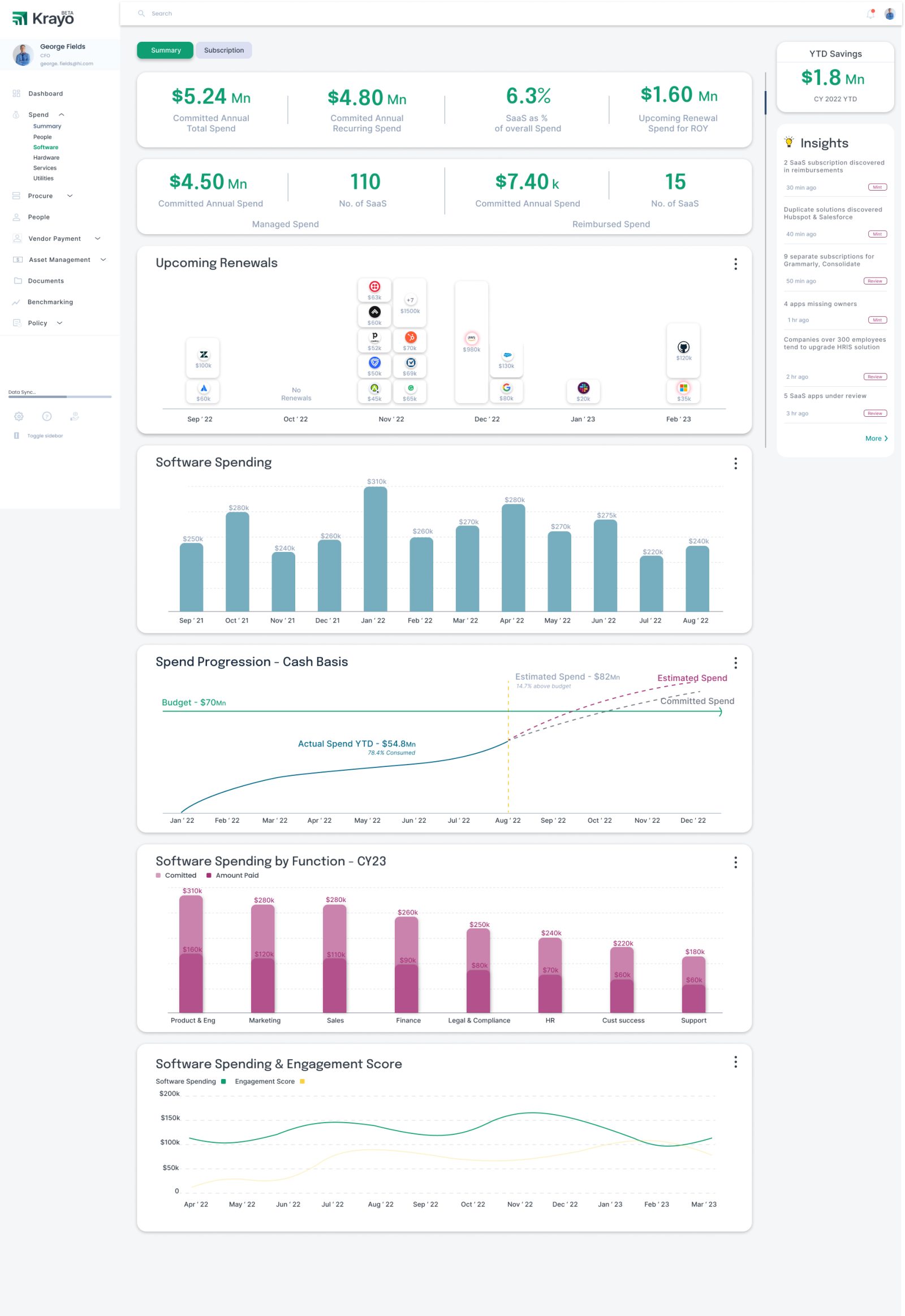
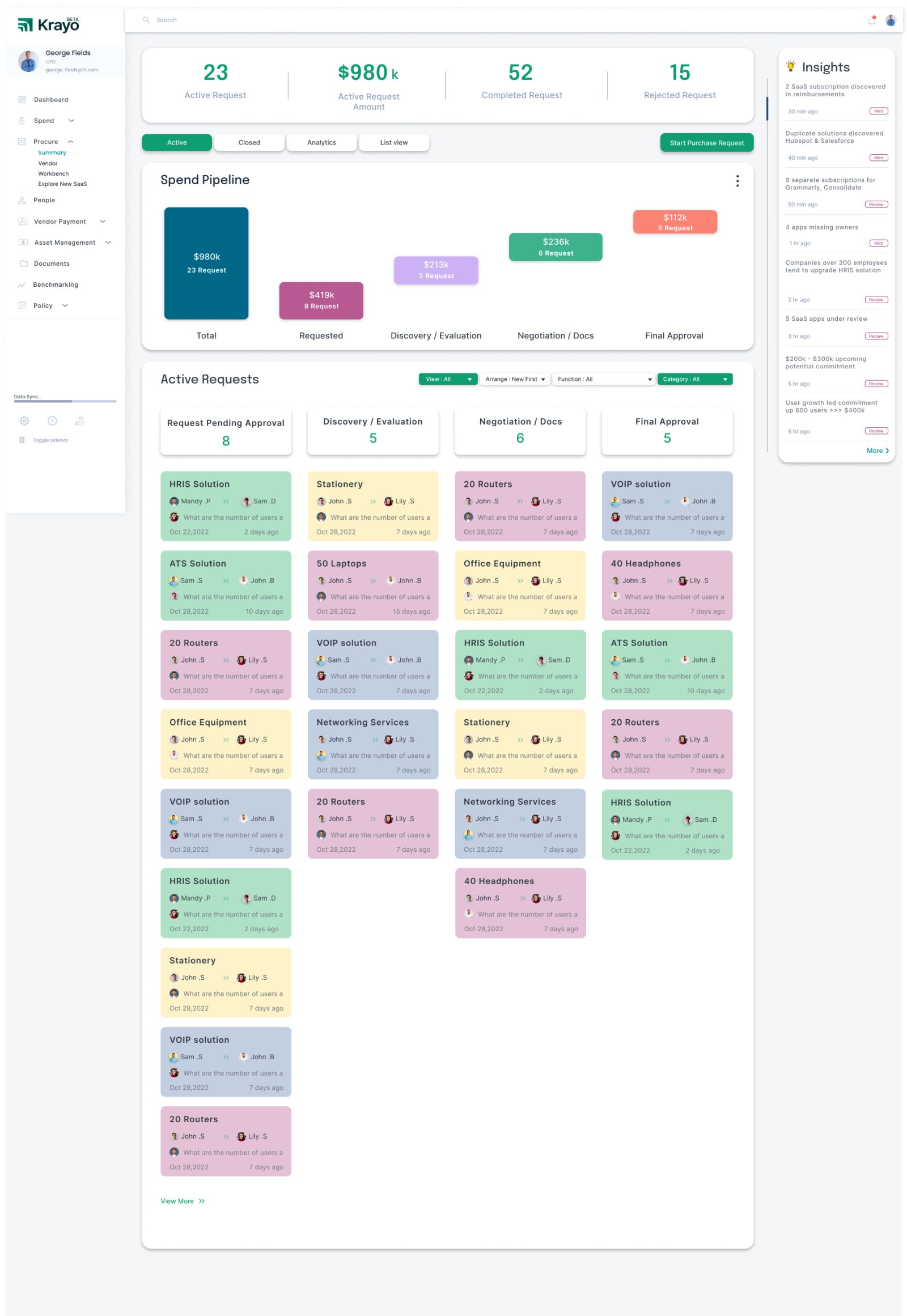
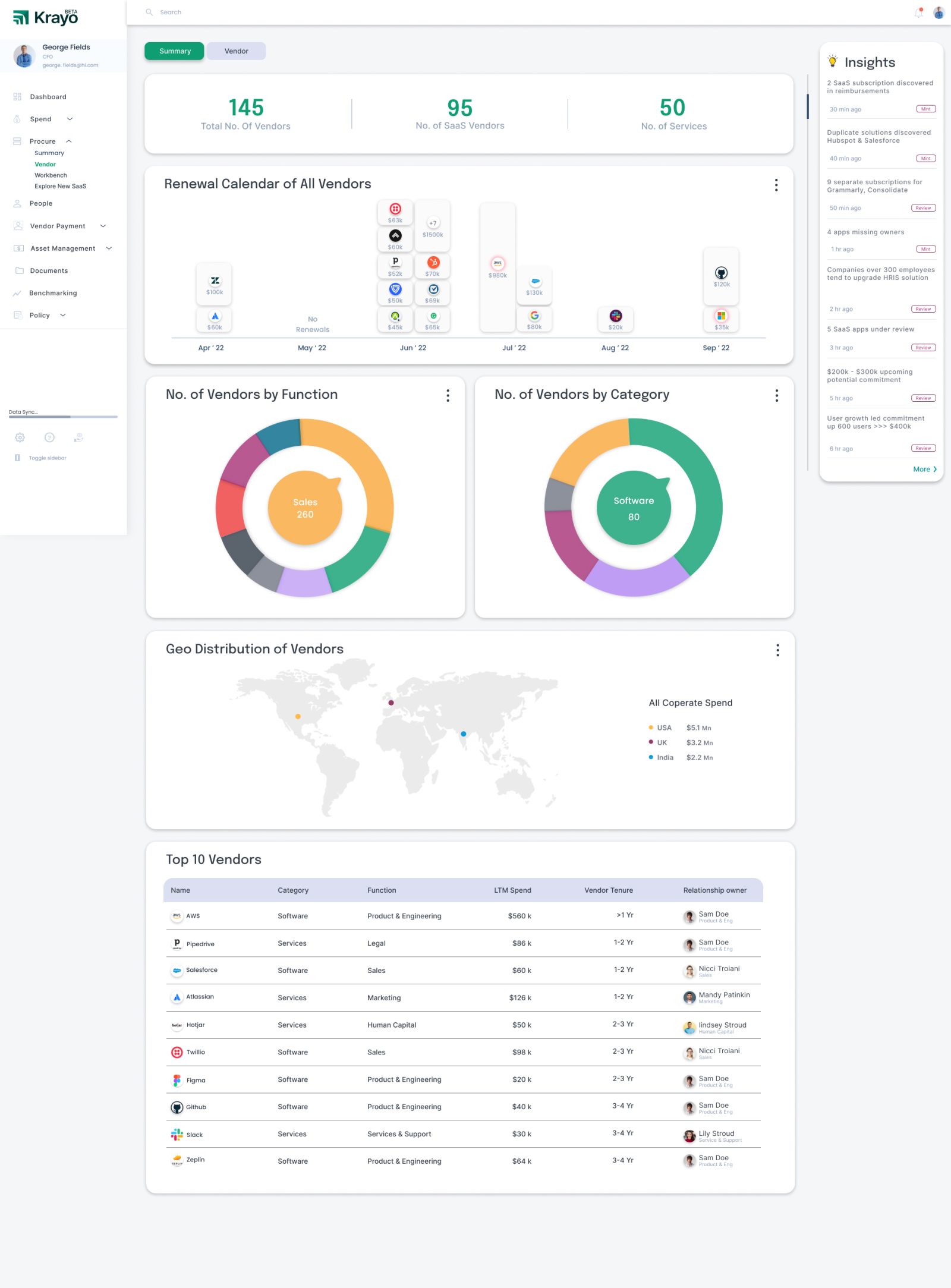
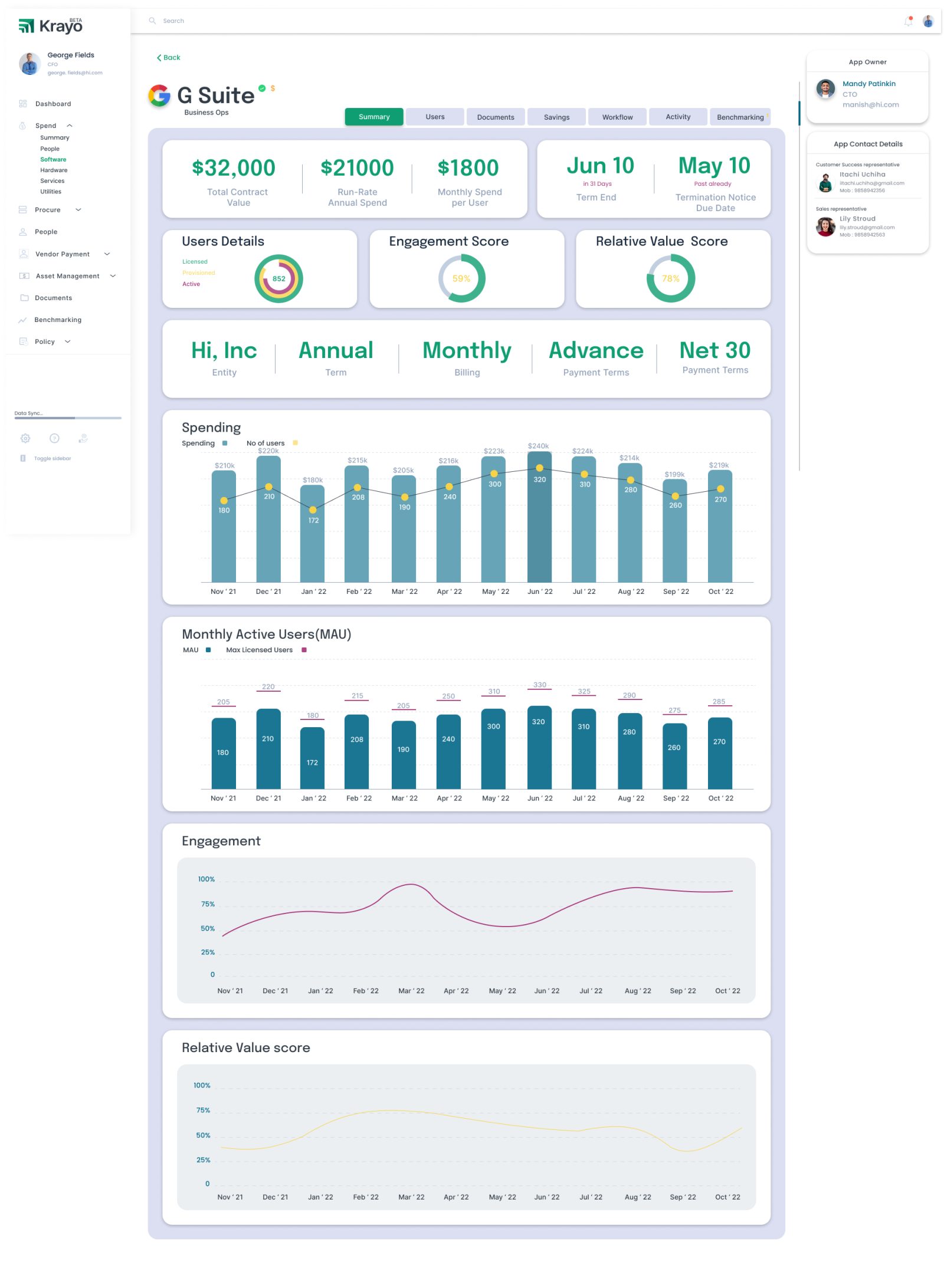
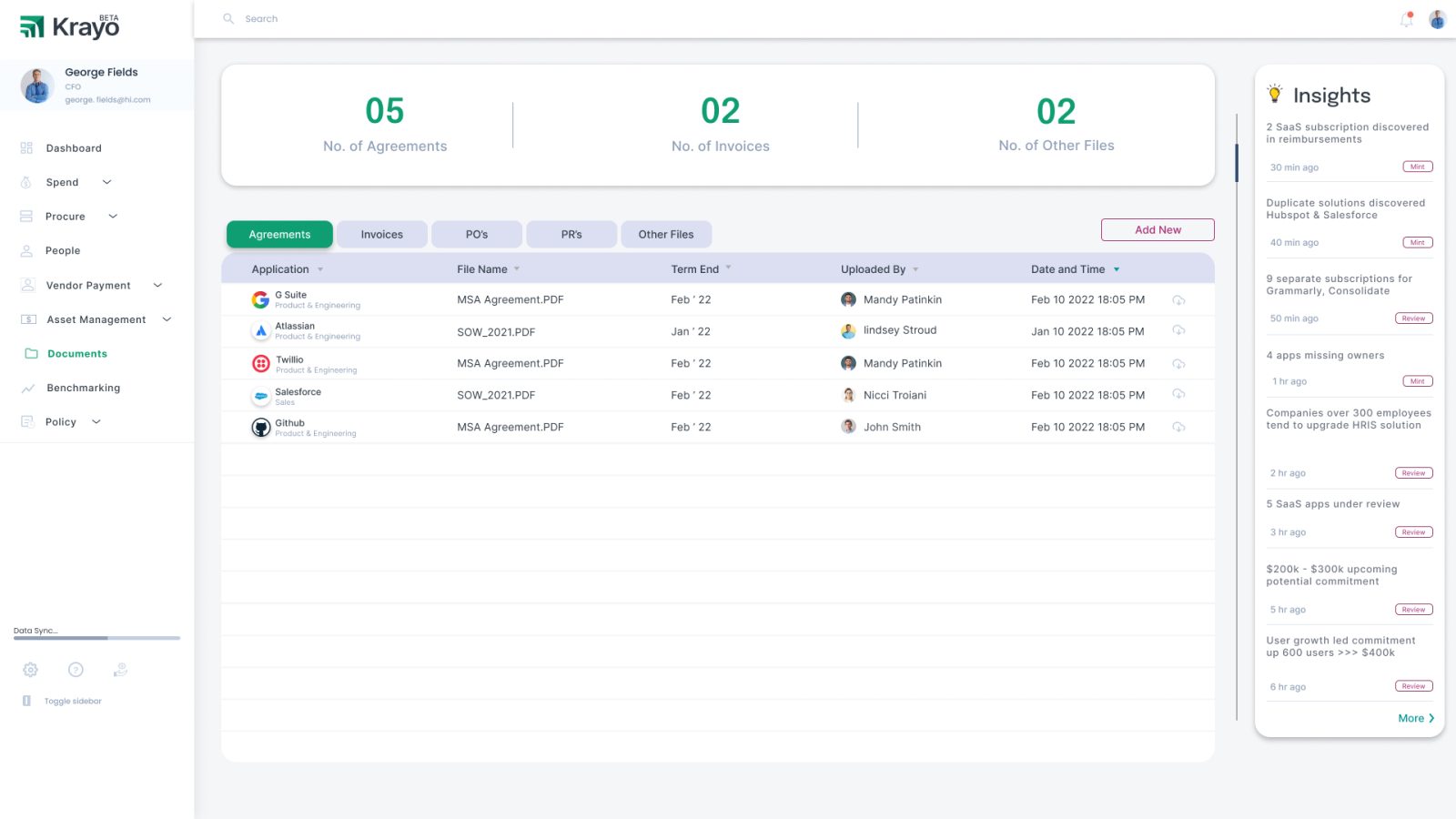
Designing Human-AI workflows for enterprise finance teams — simplifying procurement, spend, compliance, and HR for CFOs, finance leaders, and operators.
Role
Lead Product Designer
Duration
6+ Months
Product
Enterprise SaaS · Fintech + AI
Users
CEOs, CFOs, Finance Teams
Clients
6 Enterprise + 1 Unicorn
⚡ TL;DR for recruiters: Designed an AI-powered finance platform used by 6 enterprise clients and a unicorn company. Led end-to-end UX across spending, procurement, compliance, and HR modules — improving financial processing efficiency by 32% and contributing to 18% revenue growth through better workflow design and executive usability.
32%
Improvement in financial processing efficiency
18%
Revenue growth contribution through workflow optimisation
7
Enterprise clients including 1 unicorn company
The Problem
Finance teams were drowning, not lacking data.
Spending, procurement, compliance, and HR systems were completely disconnected. Financial approvals were manual and time-consuming. Executives lacked real-time, actionable insights. And AI adoption was low due to deep trust and usability concerns.
The result: slow decisions, operational inefficiency, and missed financial opportunities — even with data available.
◈
Fragmented Workflows
Spending, procurement, compliance, and HR lived in separate systems with no unified view.
CEOs and CFOs lacked real-time, actionable insights — only raw data dashboards.
⬡
Low AI Trust
AI adoption was blocked by users not understanding or trusting AI-generated recommendations.
My Role
End-to-end ownership — from discovery to production.
I led product design for the entire Krayo finance platform — defining UX strategy, designing across all modules, building the design system, and establishing AI interaction guidelines that became internal standards.
I worked directly with Product and Engineering in agile sprints, conducting enterprise usability testing to validate AI-driven features before production release.
01
End-to-end product design for AI finance platform
02
UX strategy for Spending, Procurement, Compliance & HR
I conducted enterprise stakeholder interviews with CFOs and finance teams, mapped financial processes end-to-end, ran usability testing on AI features, and iterated based on real feedback before any production release.
◈
"Give us clarity, not more dashboards"
CFOs need quick, high-level financial clarity. Raw data dashboards create cognitive overload.
◎
Approval workflows were the biggest pain
Finance teams flagged multi-step approval workflows as their single biggest source of frustration.
▦
Trust requires transparency + control
Users only trusted AI when they could see why a recommendation was made and edit or override it.
⬡
Guided AI beats open-ended AI
Enterprise users strongly preferred structured, guided AI workflows over chat-style open interfaces.
Design Process
From sketches to production.
The process moved from deep discovery through iterative sketching, system design, and validated production deployment — always with enterprise users in the loop.
01
Discovery
CFO and finance team interviews. Workflow mapping. Pain point analysis.
02
Sketch & Wireframe
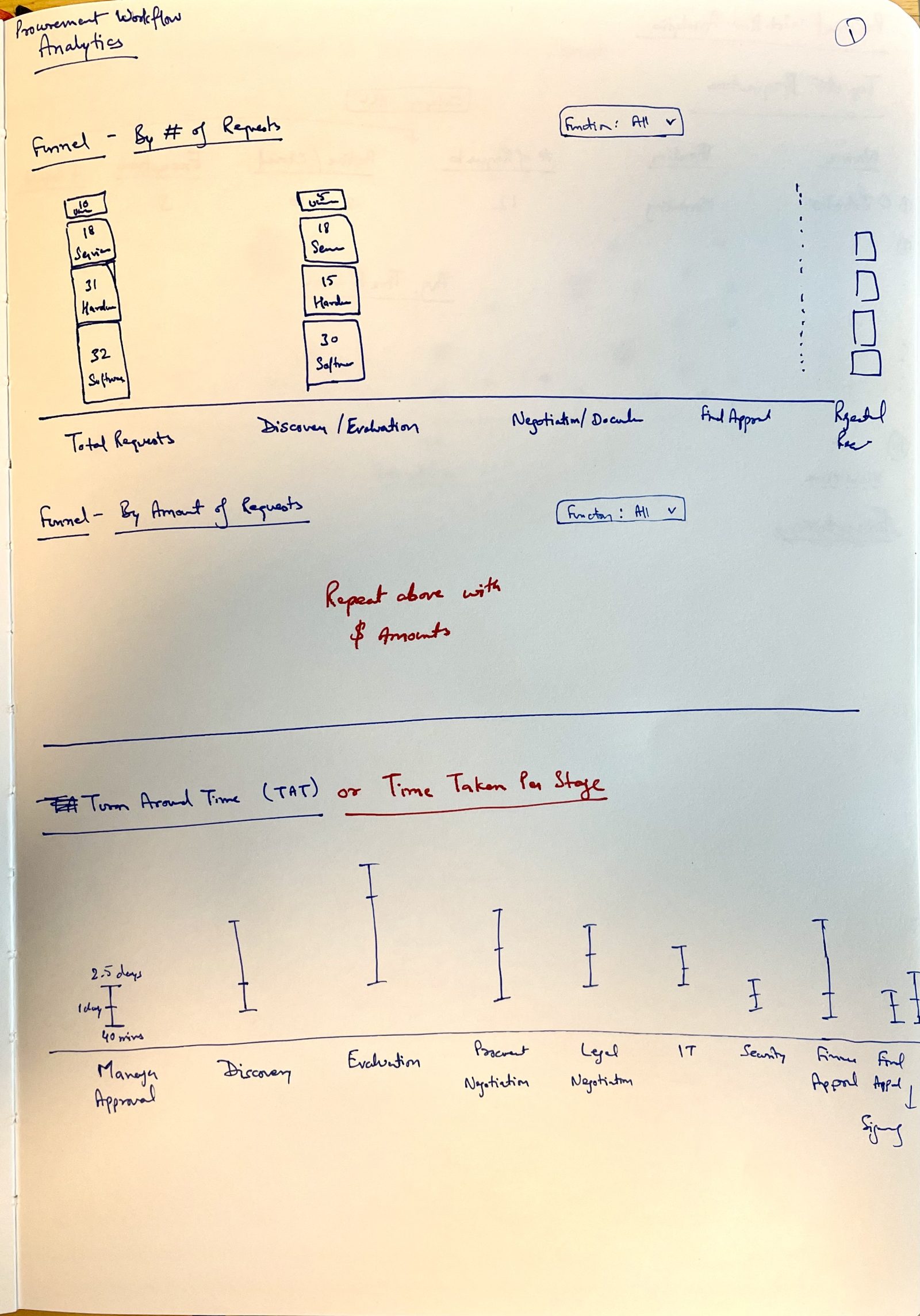
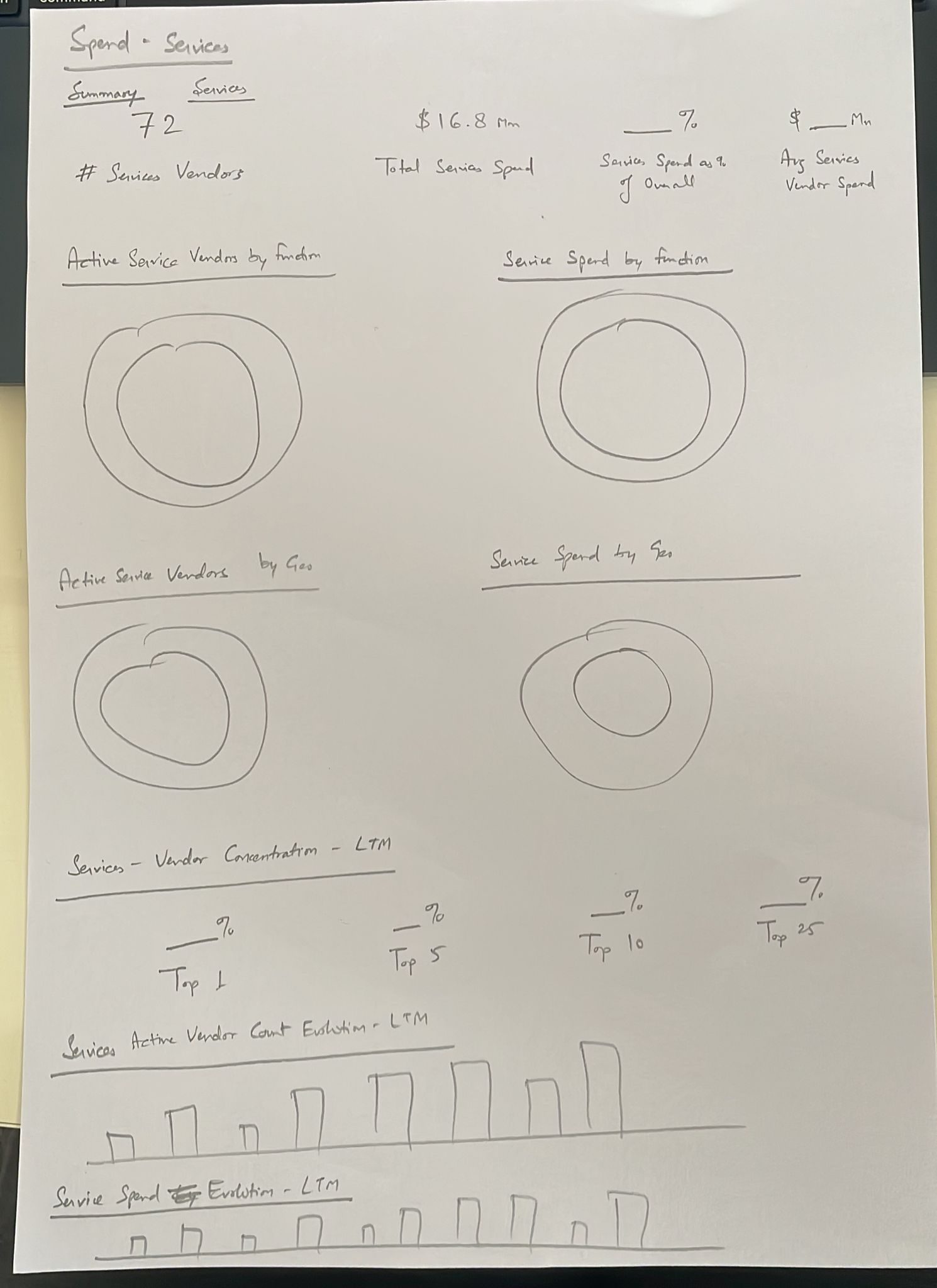
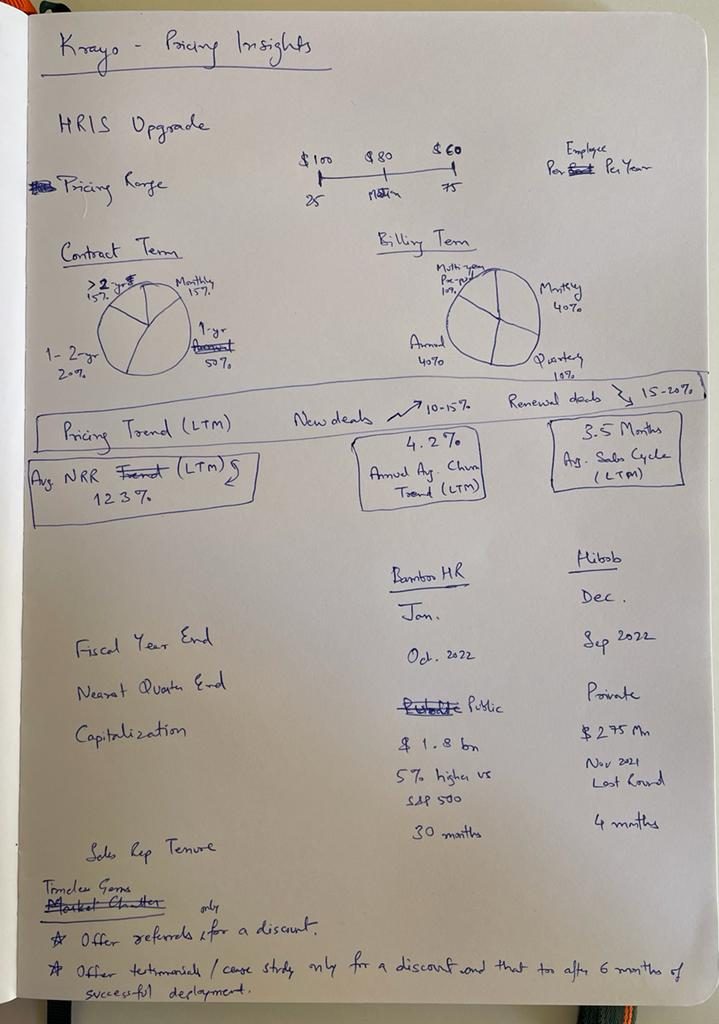
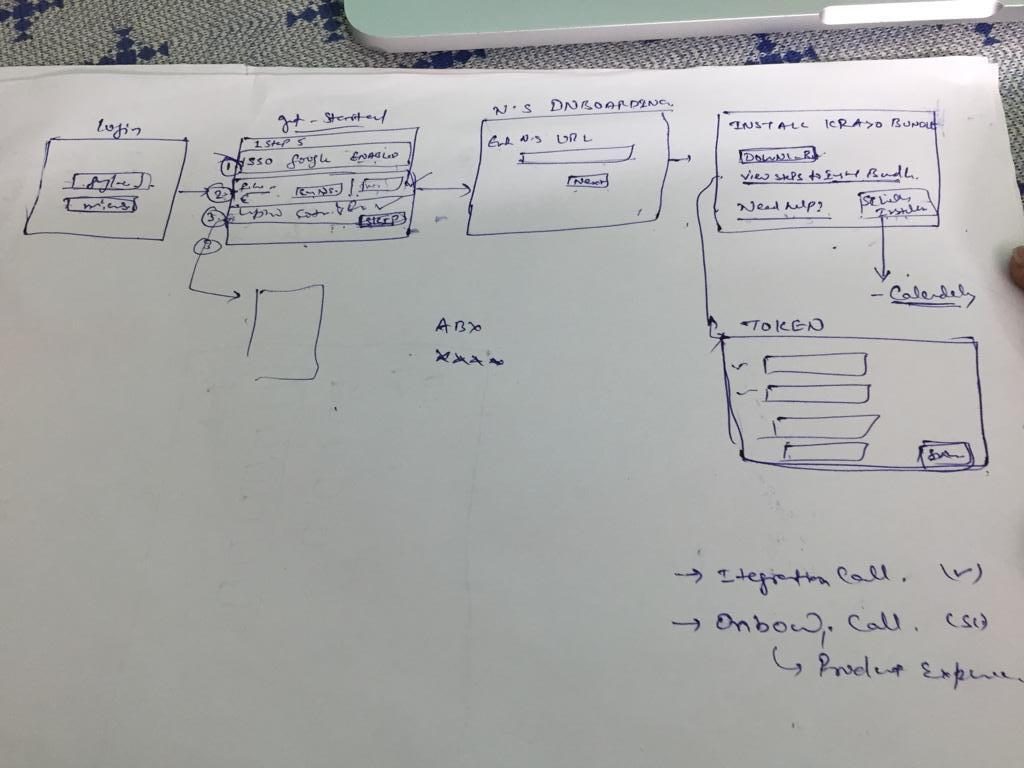
Hand-sketched wireframes for procurement policies, spend pipelines, analytics funnels.
03
Design & System
High-fidelity UI across all modules. Built scalable component library and AI guidelines.
04
Test & Ship
Enterprise usability testing with real finance teams. Deployed to 7 clients.
Design Artefacts
From napkin to screen.
Wireframe sketches show the thinking behind the design — procurement policies, workflow analytics, spend pipelines — before they became production UI.
What this project taught me about enterprise AI design.
AI UX must prioritise trust over automation. Users will resist AI that feels uncontrollable — transparency and editable outputs are non-negotiable.
Structured AI workflows outperform open AI interfaces. Pre-defined prompts and guided recommendations consistently outperformed open-ended chat for finance tasks.
Design systems are how AI products scale. Without a robust component library, shipping AI features across four modules would be impossible at enterprise speed.
Enterprise UX is about balancing complexity with clarity. CFOs need the right signal at the right moment, with the ability to drill down when needed.
Interested in working together?
Open to senior AI product design roles, contract work, and consulting.